Authentication - CSR/JWT (test)
This authentication method is used for the following products:
- Payment API
- Balance API
- Statement API
- qvik EAM
- Payment Request
The Online Payment Page uses HMAC-based authentication → HMAC authentication
Creating the Configuration File
Using the test registration number provided by the bank, the configuration file must be created according to the following template. The string at the end of the highlighted line (27.) (example: AB1234) must be replaced with the test registration number.
Please make sure there is no space between the test registration number and the colon!
oid_section = oids

[req ]
default_bits = 2048
prompt = no
default_md = sha512
distinguished_name = dn
req_extensions = req_ext

[ oids ]
apiUserType = 1.2.3.45

[ dn ]
C=HU
ST= Budapest
L= Budapest
O=APIUser
OU=APIUser_OU
emailAddress=admin@yourdomain.com
CN = apiuser@yourdomain.com

[ req_ext ]
subjectAltName = @alt_names
basicConstraints = critical, CA:FALSE
keyUsage = digitalSignature, keyEncipherment
apiUserType = ASN1:UTF8String:PaymentHUB
2.5.4.97 = ASN1:UTF8String:AB1234

[ alt_names ]
DNS.1 = yourdomain.com
Generating the Private Key and CSR File
Creating the private-public key pair and the certificate signing request (CSR) file required for signing the authentication token is essential.
Using the configuration file produced above, the private key and CSR file must be generated using openssl, following the template below:
- Windows
- Linux
openssl genrsa -out key.pem 2048
openssl req -new -key key.pem -out csr.pem -config csr_details.txt
openssl genrsa -out key.pem 2048
openssl req -new -key key.pem -out csr.pem -config < csr_details.txt
Result:
key.pem- Private key (for signing JWT token)csr.pem- Certificate Signing Request (to be uploaded to RPP)
Generating KID and Uploading the Certificate
1. Uploading CSR to RPP
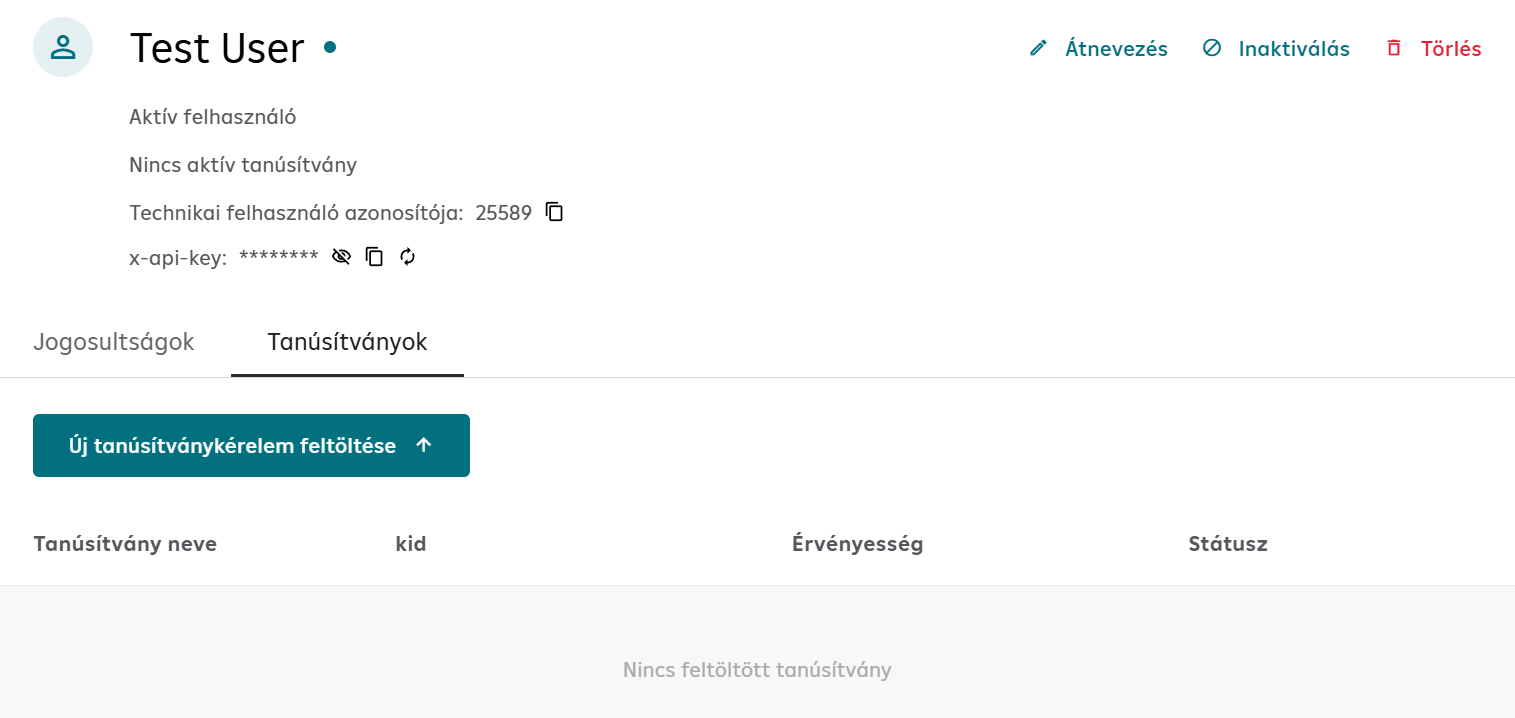
On the Certificates tab, click the Upload New Certificate Request button.
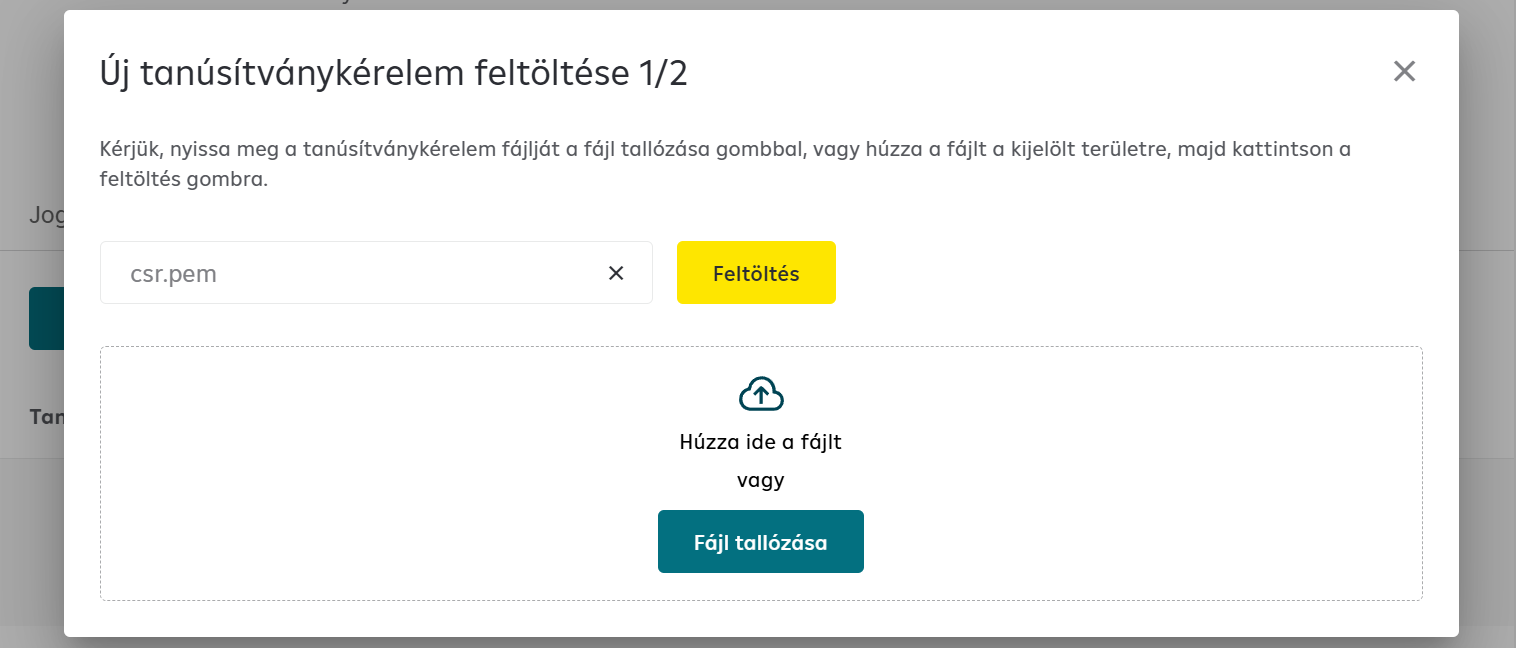
Select the CSR file generated in the previous step (csr.pem), upload it and give it a name.
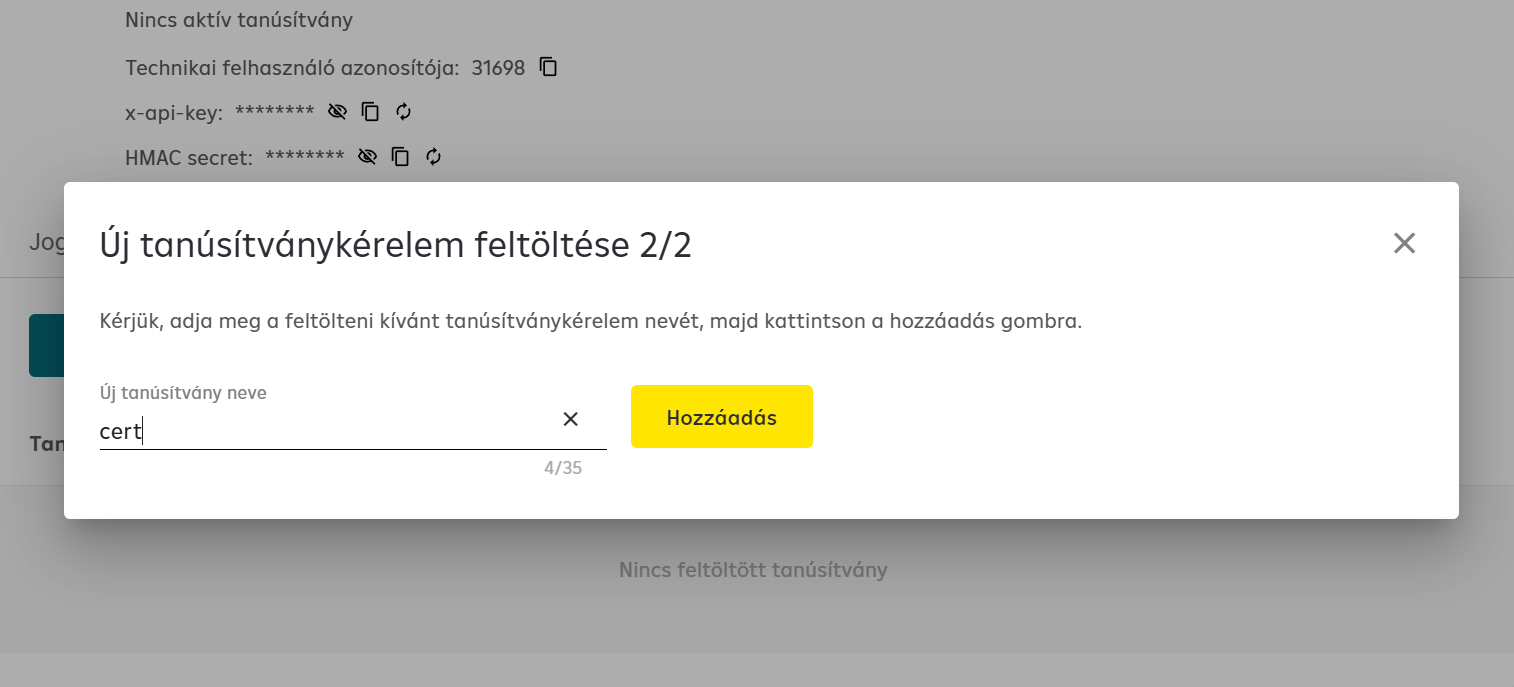
2. Extracting KID and Credentials
After this, the necessary information can be extracted from the RPP portal interface:
- Technical User ID
- x-api-key (API key)
- KID (Key ID) - to be used in JWT token header
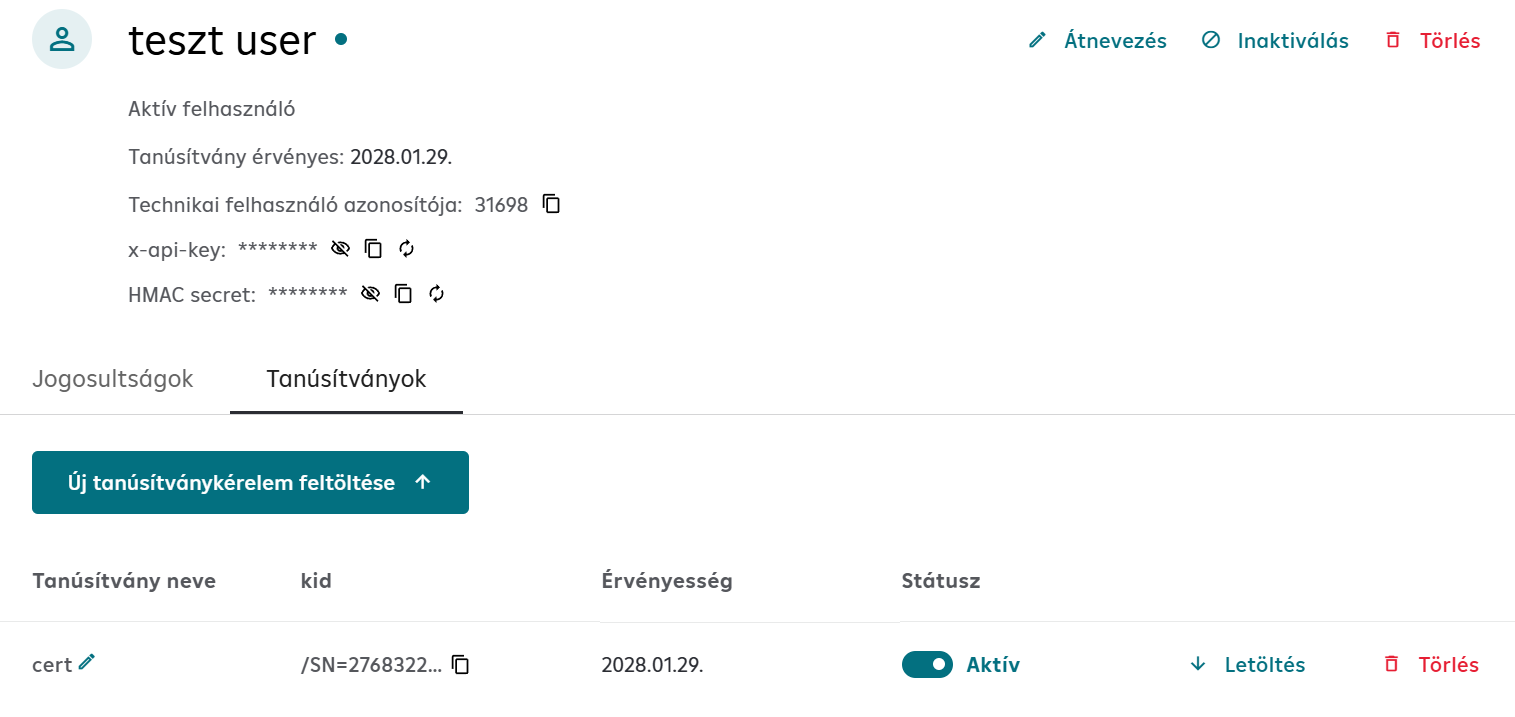
The KID (Key ID) value must be used in the kid header field when generating JWT tokens.
Signature structure
The Detached JWS consists of three main components: Header, Payload and Signature. These are detailed below.
1. Header
The header contains the metadata required for signature validation. The header must be composed in JSON format and then Base64URL encoded.
Required fields
| Field | Type | Description |
|---|---|---|
kid | string | Key ID - The unique identifier belonging to the certificate. Can be obtained from the RaiffeisenPay Portal. |
typ | string | Token type - always "JWT" |
alg | string | Signing algorithm - "RS512" (RSA-SHA512) |
iat | integer | Issued At - Unix timestamp in seconds (time of signing) |
jti | string | JWT ID - Unique identifier (UUID v4). A new value must be generated for each API call! |
Header template
{
  "kid": "<KID value from the RaiffeisenPay Portal>",
  "typ": "JWT",
  "alg": "RS512",
  "iat": <unix_timestamp>,
  "jti": "<uuid_v4>"
}
Header example
{
  "kid": "/SN=15349700155842404063/C=HU/L=Budapest/OU=only_for_development_use/CN=p19026_openbanking_-_api_user_certificates",
  "typ": "JWT",
  "alg": "RS512",
  "iat": 1585563716,
  "jti": "e395cf5e-0fc4-430b-9f7e-bee20855b475"
}
:::tip KID value
The kid value can be obtained from the RaiffeisenPay Portal after uploading the certificate.
:::
2. Payload
The payload is the HTTP request body in JSON format. This is the data you sign and send to the server.
:::danger Critical: Formatting consistency The JWS signature is unique to the given header and payload combination. The JSON sent in the HTTP body MUST EXACTLY match the signed payload.
Many JWT libraries remove whitespace and line breaks before signing. If the formatting of the sent body differs from the signed one, the API will reject the request.
Solution: Use the same JSON string for both signing and sending as the HTTP body. :::
Payload example
{
  "orderID": "order_123456",
  "creditorAccount": "HU96120106590163520000100000",
  "transactionAmount": 1000,
  "transactionCurrency": "HUF"
}
3. Signature
The signature is the cryptographic fingerprint of the header and payload combination, created with your private key.
Troubleshooting
JWT error codes
| Error code | Problem | Solution |
|---|---|---|
JWT_GENERAL_ERROR | Incorrect JWT assembly or body/payload mismatch | Check that the HTTP body exactly matches the signed payload |
JWT_CERT_EXPIRED | Expired certificate | Generate and activate a new certificate on the RPP portal |
JWT_CERT_NOT_ACTIVE | Certificate not activated | Activate the certificate on the RPP portal |
JWT_IAT_EXPIRED | The iat timestamp is too old or in the future | Use accurate current system time |
JWT_JTI_DUPLICATE | The same jti value used twice | Generate a new UUID for each call |
JWT_NOT_EXISTS | Missing x-jws-signature header | Add the Detached JWT to the header |
Common errors
| Error | Cause | Solution |
|---|---|---|
| 401 Unauthorized | Incorrect JWS signature | Check the JWS generation and that the body matches the signed payload |
| 401 Unauthorized | Wrong KID | Check that you are using the correct KID |
| 401 Unauthorized | Expired certificate | Generate and upload new CSR |
| Invalid signature | Wrong private key | Check that you are using the private key belonging to the CSR |
Next Steps
After CSR setup and KID extraction, Consent creation and approval is still required on the RPP portal.
With the KID in hand, you can now make your first API call.